Published: 15 May 2026 Admit Card 2026
Table of Contents
Indian Army Agniveer CEE Admit Card 2026 Released – Download Hall Ticket Online
About This Recruitment
Great news for defense aspirants as the Indian Army Agniveer Admit Card Download 2026 process has officially started today on 15 May 2026. The Indian Army has officially released the Agniveer CEE Admit Card 2026 for all candidates who had applied for the Agniveer recruitment programme under the Agnipath Scheme. If you have successfully registered and completed your application process, you can now log in to the official website and download your hall ticket without any delay.
The Common Entrance Examination will be held from 1 June 2026 to 15 June 2026 across multiple examination centres all over India. The exam will cover posts like General Duty, Technical, Clerk, and Tradesman categories. Candidates are advised not to wait for the last moment and download the admit card as soon as possible to avoid any technical issues near the exam date.
Important Dates
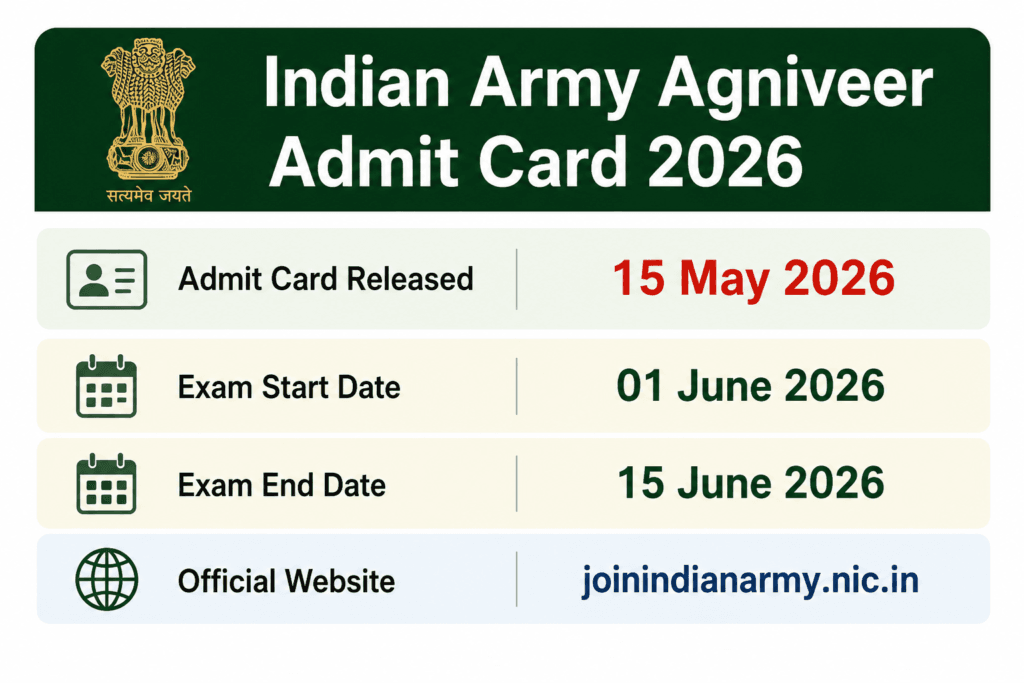
Check the complete schedule and important timelines for the Indian Army Agniveer Admit Card Download 2026 in the table below:
| Event | Date |
|---|---|
| Admit Card Released | 15 May 2026 |
| Exam Start Date | 01 June 2026 |
| Exam End Date | 15 June 2026 |
| Official Website | joinindianarmy.nic.in |
Posts Covered Under CEE 2026
| Post |
|---|
| Agniveer General Duty |
| Agniveer Technical |
| Agniveer Clerk |
| Agniveer Tradesman and Other Categories |
What is Written on the Admit Card
Check all the details carefully after completing your Indian Army Agniveer Admit Card Download 2026.
| Details on Admit Card |
|---|
| Candidate Name and Roll Number |
| Exam Date and Shift Timing |
| Reporting Time at Exam Centre |
| Examination Venue and Address |
| Exam centre details and reporting time will be mentioned on the admit card. |
| Category and Post Applied For |
| Photograph and Signature of Candidate |
Please note that the location of the examination centre is geo tagged on the admit card itself. Candidates are requested to refer to the geo location for finding the correct exam centre to avoid any last minute confusion.
How to Download Indian Army Agniveer Admit Card 2026
Candidates can easily complete their Indian Army Agniveer Admit Card Download 2026 by following the step-by-step instructions provided below:
Follow these simple steps carefully to download your hall ticket online:
Step 1 – Open your browser and visit the official Indian Army recruitment website at joinindianarmy.nic.in
Step 2 – On the homepage you will see the Admit Card download link or login option. Click on it.
Step 3 – You will be directed to the login page. Enter your registered email ID as your username and your password.
Step 4 – Enter the Captcha code as shown on the screen carefully.
Step 5 – Click on the Submit or Login button.
Step 6 – Your Agniveer CEE Admit Card 2026 will be displayed on the screen.
Step 7 – Check all the details mentioned on the hall ticket carefully.
Step 8 – Download the admit card and take at least two coloured printouts. Keep one copy safe and carry one to the exam centre.
Documents to Carry at Exam Centre
Every candidate must carry the printed admit card along with one original valid photo identity proof at the time of examination. Without these two documents entry into the exam hall will not be allowed under any circumstances.
| Accepted Photo ID Proof |
|---|
| Aadhaar Card |
| PAN Card |
| Voter ID Card |
| Driving Licence |
| Passport |
Make sure the name and date of birth on your ID proof matches the details mentioned on your admit card. Any mismatch may cause problems at the verification stage.
Things to Remember on Exam Day
Candidates must follow these important guidelines on the exam day along with their Indian Army Agniveer Admit Card Download 2026.
Reach the examination centre well before the reporting time mentioned on the admit card. Late entry will not be permitted after the gates are closed. Carry the admit card in a good printed condition, not blurred or unclear. Mobile phones and electronic gadgets are strictly not allowed inside the examination hall. Dress appropriately and follow all instructions given by the invigilators at the centre.
Official Links
Download Admit Card: https://www.joinindianarmy.nic.in/Authentication.aspx
Login Page: https://joinindianarmy.nic.in/Login.htm
Note: All details shared in this article are based on information available on the official Indian Army recruitment website. Candidates are strongly advised to visit joinindianarmy.nic.in regularly for any updates, changes in exam schedule, or important announcements related to Agniveer CEE 2026. Admit card details and exam dates are subject to change as per official notification. Always refer to the official website for the most accurate and latest information.
For more latest government job updates, admit card news, and admission notifications across Assam and India regularly visit Assam Job Update at assamjobupdate.com for fast and reliable information.
More Updates
| Topic | Link |
|---|---|
| IAF Agniveer Vayu Recruitment 2026 (Intake 02/2027) | https://assamjobupdate.com/iaf-agniveer-vayu-recruitment-2026/ |
| RPSC 2nd Grade Teacher Exam Date 2026 | https://assamjobupdate.com/rpsc-2nd-grade-teacher-exam-date-2026/ |
| RRB Isolated Categories CEN 08/2025 Recruitment | https://assamjobupdate.com/rrb-isolated-categories-cen-08-2025/ |
| BPSSC SI Online Form 2026 – Apply Online, Eligibility | https://assamjobupdate.com/bpssc-si-online-form-2026/ |
| SCPS Assam Recruitment 2026: Apply Now for 88 Vacancies | https://assamjobupdate.com/scps-assam-recruitment-2026/ |

Prakash Powrel is the Founder & Editor of Assam Job Update. He is dedicated to helping students and job seekers across Assam and Northeast India by publishing Government Jobs, Private Jobs, Admissions, Results, Scholarships, and Career updates based on official notifications and trusted sources.